Inertial capture needs no mocap camera array and no markers, so the performance and the volume stop competing for space.
An LED volume is already full of equipment.
Cameras, tracking systems, lighting, crew, and a wall that changes what light does in the room. Adding a mocap camera array to that environment is possible, and it is rarely the easy option.
This guide covers how motion capture works on an LED stage in 2026, the numbers that decide the setup, and the checklist to run before the first take.
Motion capture on an LED stage at a glance
|
Requirement on the volume |
What inertial capture gives you |
|
Floor and truss space |
No mocap cameras to rig, no calibrated volume to protect |
|
Sight lines to the performer |
None needed, sensors measure movement on the body |
|
Working under LED light |
Capture is unaffected by what the wall is doing |
|
Real-time to the engine |
Live stream into Unreal Engine or Unity through Xsens Animate |
|
Latency budget |
Up to 240 Hz at 20 ms latency on the next-generation Xsens Link |
|
Position in world space |
Positional aiding through the HTC VIVE Ultimate Tracker integration |
|
Long takes and big volumes |
150 m wireless range, on-body recording, up to 50 hours internal storage |
What makes an LED volume a hard place to add capture?
Four practical things come up on almost every stage.
- Space. The floor and the truss are already taken by the wall, the lighting, and the camera tracking system. Anything else you rig has to fit around them.
- Sight lines. Set pieces, props, other performers, and the film camera all stand between the performer and anything that needs to see them.
- Light. The wall changes brightness and colour through the day, and everything on the stage has to work inside that.
- Time. The volume is usually the most expensive room in the production, so every hour of setup comes out of the shoot.
A camera-based mocap system can work on a volume. It asks for space, sight lines, and setup time that the stage has least to spare.
What does marker-free capture change?
Inertial capture measures movement on the performer. Sensors read orientation and movement directly, so there is nothing to see and nothing to block.
That changes four things on a stage day:
- Setup collapses. The next-generation Xsens Link uses 17 one-click sensors inside a washable eSuit with integrated cabling, sized XS to XXL, and sets up to 40% faster than the previous generation.
- The wall becomes irrelevant to capture. What the LED does affects your camera and your lighting, not your motion data.
- Performers can go anywhere. Behind set pieces, into the corner, out of the door, across a 150 m range.
- Data stays clean in a hostile room. Xsens Link and Xsens Awinda deliver magnetically immune data, which matters on a stage full of metal, motors, and power.
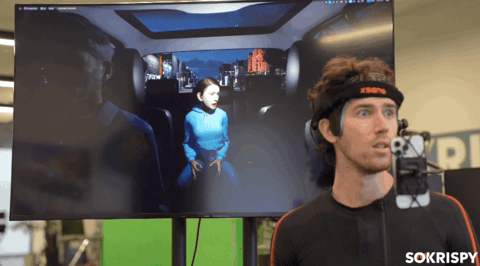
SoKrispy used Xsens for real-time previs on the pilot of The Last of Us. "It doesn't require a full on-set crew like traditional motion capture techniques," says Sam Wickert, CEO of SoKrispy.
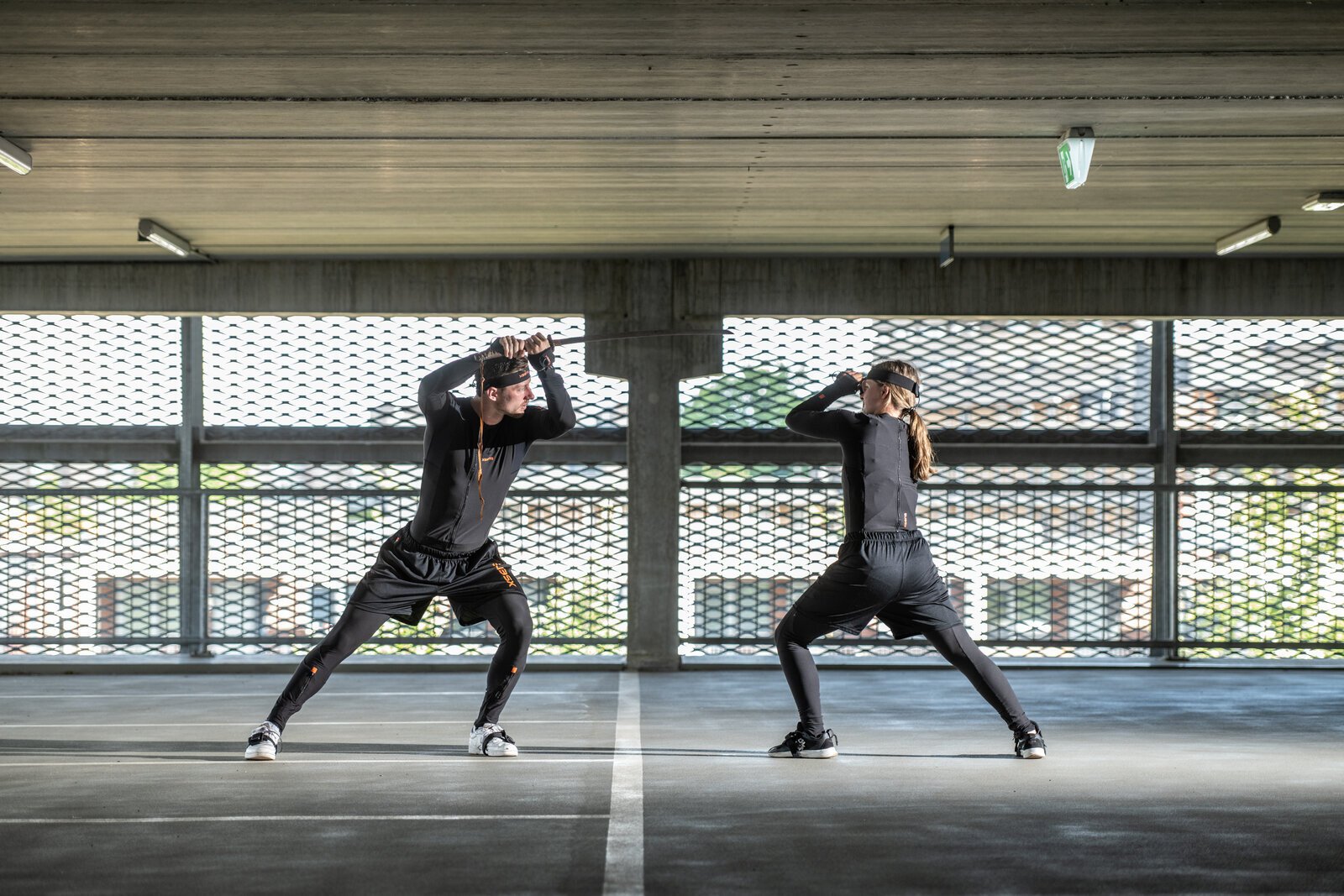 Performers can go anywhere, and so can the capture. A fight rehearsal in Xsens suits, far from any stage.
Which numbers actually decide the setup?
Three, and they are worth writing on the call sheet.
-
Update rate. The next-generation Xsens Link records at up to 240 Hz, which is what you want when performers fight, fall, or sprint on a volume. Xsens Awinda and Awinda Starter run at up to 60 Hz, which covers regular motion and suits stages where performers stay within a normal range.
-
Latency. The next-generation Xsens Link runs at 20 ms latency. Measure the rest of the chain too, because the engine and the wall add their own delay.
-
Range and recording. Link reaches 150 m over WiFi 6E, stores up to 50 hours of recording on the body, and has 10 minutes of on-body buffering. Awinda reaches 50 m and Awinda Starter 25 m, both running 12 hours on a charge.
How do you keep performers locked in world space?
This is the question that separates a demo from a shoot.
Inertial capture measures how a performer moves. Where that performer stands in the virtual set needs a reference, and without one a character can drift away from its mark over a long take.
The HTC VIVE Ultimate Tracker integration adds that reference. It brings 3D positional aiding into the Xsens workflow by combining the tracker's position data with the inertial capture, in real time and in post-processing. The tracker finds its position with its own onboard cameras, so there are no external base stations to rig around the volume.
Trackers can go on a performer, on a prop, or on a fixed reference point. That covers what a stage day depends on: characters that stay on their marks, hands that meet the prop, and performers who still line up with each other at the end of the take.
Our partner HELTEC Sensing tested this with two performers in the next-generation Xsens Link. After five minutes of free movement, the performers wearing trackers still met hand to hand in the live output. In another test, a third tracker on a prop stood in for a virtual camera, so performers and camera sat in the same scene.
The trackers are sold through HTC VIVE, and the setup guide is in the Xsens knowledge base. The tracker maps the room with its own cameras, so do that mapping on the stage itself and run a test take with the wall on before the shoot day.
What does the live route into Unreal Engine look like?
Short, which is the point.
- Capture streams from the suit into Xsens Animate.
- Xsens Animate streams into Unreal Engine through the Xsens Live Link plugin.
- The character moves on the volume, in context, while the performer is still moving.
The plugin handles the production details: full-body and finger remapping with preset naming conventions for UE, Maya, and Xsens or a custom set, remote control of Xsens sessions through Blueprint, timecode, props, and VIVE objects. Download it from Fab, enable live streaming in Animate, and set up your character.
Unity teams use the Xsens plugin from the Unity Asset Store, with the same three-step setup. For offline delivery, record in Xsens Animate and export FBX, BVH, C3D, or MVNX.
Sync matters more here than anywhere else in the pipeline. Xsens Animate supports time code and network sync, and the Live Link plugin supports timecode, so the capture, the camera, and the render can agree on time.
How many performers can share a volume?
More than most teams expect from an inertial setup.
Xsens Animate Live supports up to two actors for live performance and real-time virtual production. Xsens Animate Pro supports up to four actors live, and reaches unlimited actors through On-Body Recording, where each performer records to their own system and the takes come together afterwards.
On-body recording also helps with long takes. A performer can work far from the operator, record locally, and hand back a full session, which is useful when a scene runs across a volume and out into a practical set.
What should you check before the first take?
|
Check |
Why it matters |
|
Update rate matched to the hardest movement in the scene |
240 Hz for high-dynamic action, 60 Hz for regular motion |
|
Latency measured end to end, not just at the suit |
Every layer between capture and the wall adds milliseconds |
|
Ultimate Trackers mapped and tested on the stage, with the wall on |
Keeps characters on their marks across long takes |
|
Timecode running across capture, camera, and audio |
Sync problems are cheap to prevent and expensive to fix |
|
Engine and plugin versions matched |
Check that the Xsens Live Link plugin supports the Unreal Engine version on your stage |
|
Battery plan for the shoot day |
Link runs 3 to 4 hours internal and 7 to 8 hours external; Awinda runs 12 hours |
|
Recording plan for long takes |
Link buffers 10 minutes on the body and stores up to 50 hours of recording |
|
A rehearsal with the wall live |
The volume changes how everyone performs |
Who is already capturing this way?
Real-time capture is already part of film and series production, and recent work shows where it sits in the pipeline.
On The Electric State, motion capture studio Actor Capture ran up to four Xsens Link suits at a time across three Atlanta volume stages, alongside an optical system, with Xsens Animate showing the data live so the team could monitor performances.
SoKrispy built the previs for a one-shot scene in the pilot of The Last of Us with Xsens and Unreal Engine, with the director of photography reviewing remotely as it was captured.
Stunt performer and fight coordinator Ryan Gray, whose credits include Fallout and Rebel Moon, uses an Xsens Link suit for stunt previs. For Fallout, he captured creature movement in the suit himself and placed the character into the live-action scene.
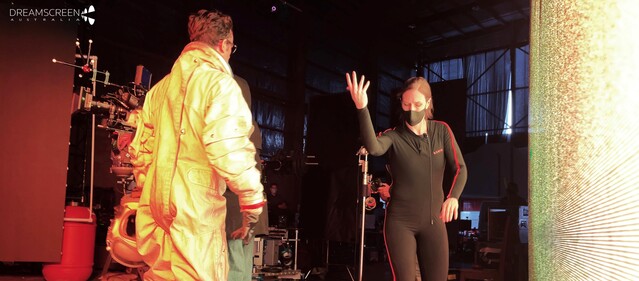
On the LED side, Dreamscreen, a Melbourne production company specialising in real-time LED virtual production, built live Xsens data into its Unreal Engine pipeline.
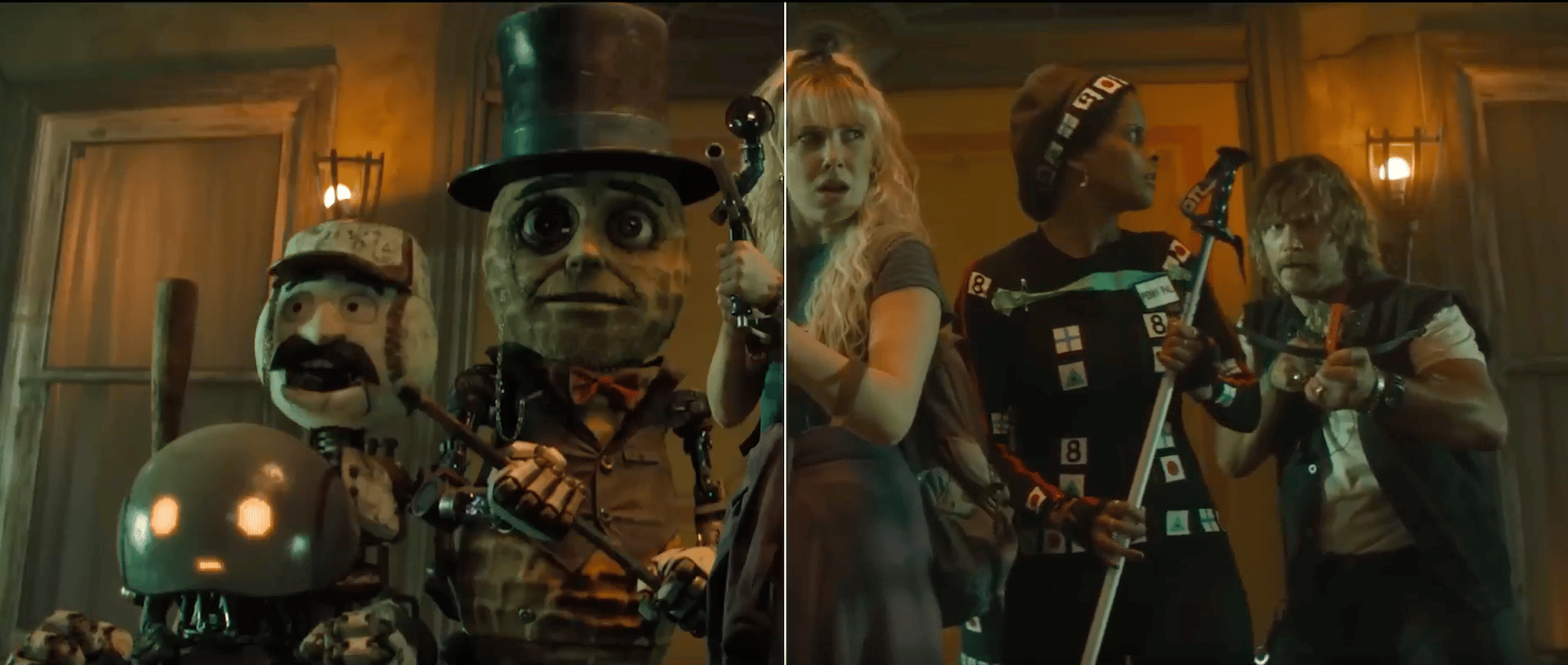
The Electric State, before and after: one of the productions that put Xsens motion capture on set.
Motion capture on LED stages FAQs
Can you use motion capture on an LED volume?
Yes. Inertial capture is the straightforward route, because it needs no mocap cameras, no markers, and no sight lines. Sensors on the performer measure movement directly and stream live into Unreal Engine or Unity.
Does LED wall light interfere with motion capture?
Not with inertial capture. The sensors measure orientation and movement rather than reflected light, so what the wall displays does not affect the motion data.
What latency do you need for real-time virtual production?
Low enough that performers and directors react to the character, not to a delay. The next-generation Xsens Link runs at up to 240 Hz with 20 ms latency.
How do you keep a mocap performer aligned with the virtual set?
Use positional aiding. The HTC VIVE Ultimate Tracker integration adds a positional reference to Xsens capture, which keeps motion aligned with props, environments, and other performers across longer takes.
How many actors can you capture live on a stage?
Xsens Animate Live supports up to two actors. Xsens Animate Pro supports up to four live, and unlimited actors through On-Body Recording.
Does Xsens stream live into Unreal Engine?
Yes. The Xsens Live Link plugin streams from Xsens Animate into Unreal Engine, with remapping presets, Blueprint remote control, timecode, props, and VIVE objects.
How much does a virtual production mocap setup cost?
Every configuration is priced by quote, because hardware, software term, and gloves all change the total. Ultimate Trackers are bought separately through HTC VIVE. Tell us your volume size, actor count, and engine for an accurate figure.
Next steps: spec the capture, then book the volume
Write down four answers before you request pricing: the hardest movement in your scene, the number of actors sharing the volume, the size of the space, and the engine you finish in. Those four decide the system.
Bring them to us and we will spec the setup and send an overview with pricing.