The choice of the Xsens setup for your specific use case can depend on several variables. To make the process easier, we created this blog as a go-to guide for navigating the Xsens product portfolio and finding the right solution for you.
If you want to measure human movement, the best Xsens setup depends on your application, your movement conditions, and the type of data you need.
Some users need an easy and flexible setup for daily biomechanics research or rehabilitation. Others need solutions for high-impact sports movements, ergonomic risk assessment, or humanoid robot motion training.
This guide gives you a simple overview of the main Xsens hardware and software options, then shows which setup best fits each application.
Fast links:
Start with the core Xsens hardware
Xsens Link
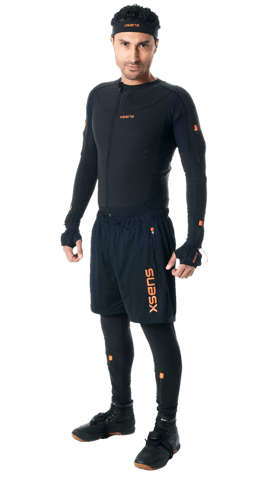 Xsens Link is the best choice for demanding motion capture. It is designed for high-dynamic movement and features a full-body eSuit designed for optimal comfort and long capture sessions.
Choose Xsens Link if you need:
- high frame rates
- robust capture during explosive or fast movements
- wide range and On-Body Recording for larger capture spaces

|
Latency |
20 ms |
|
Battery |
4 h internal + 8 h external |
|
Wireless range |
50-150 m |
|
On-Body Recording |
Yes |
|
Update rate |
240 Hz |
|
Receiving device |
Wi-Fi router |
Xsens Awinda
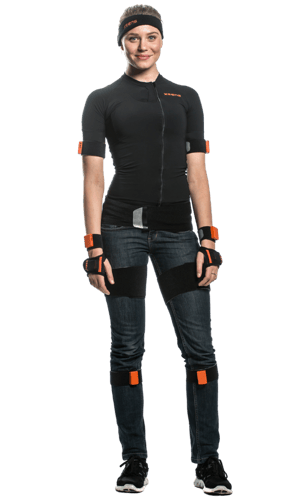 Xsens Awinda is the most flexible all-round option. It uses wireless sensors and adjustable straps, which make it easy to wear over clothing and practical in real-world environments.
Choose Xsens Awinda if you need:
- a flexible setup for everyday movement measurement
- full-body capture that can be placed over clothing
|
Latency |
30 ms |
|
Battery |
12 h |
|
Wireless range |
50 m |
|
On-Body Recording |
No |
|
Update rate |
60 Hz |
|
Receiving device |
Awinda station |
Xsens Awinda Starter
Xsens Awinda Starter is similar to Xsens Awinda and serves as the entry point into Xsens motion capture. It is especially suitable for education and for users who want to start with a more accessible full-body setup.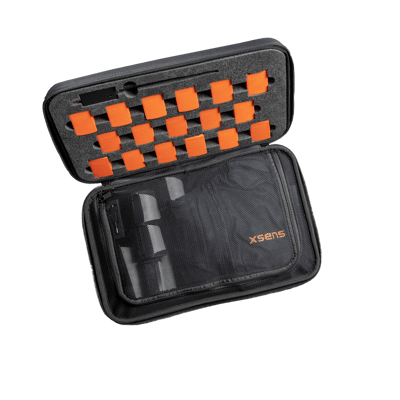
Choose Xsens Awinda Starter if you need:
- an introduction to Xsens motion capture
- a solution for teaching, education, and basic biomechanical analysis in smaller spaces
|
Latency |
30 ms |
|
Battery |
12 hours |
|
Wireless range |
25 m |
|
Update rate |
60 Hz |
|
Receiving device |
Awinda dongle |
Choose the software that matches your use case
To use Xsens Link, Xsens Awinda, and Xsens Awinda Starter, you need to pair them with one of Xsens software options.
Xsens Analyze
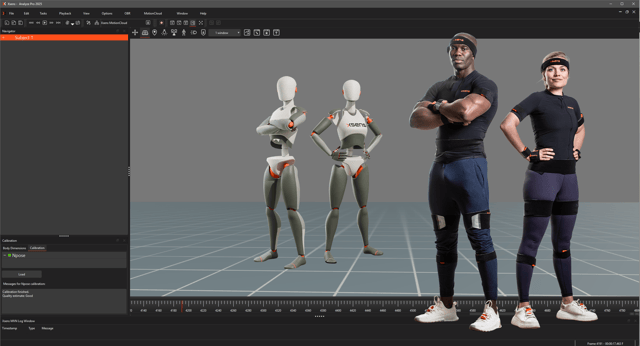
For most human movement measurement applications, the right software choice is Xsens Analyze. This is the main software used with Xsens Link, Xsens Awinda, and Xsens Awinda Starter for recording, processing, and analyzing motion data. Xsens Analyze provides the kinematic human movement data for all body segments and joints.
|
Biomechanical models |
Male, female, original |
|
Record and replay movement data |
Yes |
|
HD processing |
Yes |
|
Full magnetic immunity |
Yes |
|
Supported subjects |
4 |
|
Exporting format |
MVNX, FBX, BVH, XLS, C3D, MP4 |
|
Plugins and integrations |
Delsys Trigno EMG, MATLAB, Cometa EMG, Unreal Engine, Unity 3D, Manus, Stretchsense |
|
3D positional aiding |
Via HTC Vive, GNSS (GPS) |
|
Network sync |
Yes |
|
(Remote) On-Body Recording |
Yes |
|
Suit configuration support |
Full-body, lower-body, upper-body, lower-body + sternum |
Xsens Analyze is the right choice for:
- biomechanical analysis
- sports science and sports performance
- rehabilitation and injury prevention
- training and simulation
- any other human movement research
Xsens Humanoid
If you work in humanoid robotics, the dedicated software solution is Xsens Humanoid, featuring two license options:
- Xsens Humanoid Live is the solution for real-time control teleoperation with streaming and robot-side logging.
- Xsens Humanoid Pro is the solution for dataset creation, simulation workflows with on-body recording, and full data HD reprocessing.
|
|
Xsens Humanoid Live |
Xsens Humanoid Pro |
|
Recording |
Yes |
Yes |
|
Two operator capture |
No |
Yes |
|
HD reprocessing |
No |
Yes |
|
Live graphs |
No |
Yes |
|
ROS streaming |
Yes |
Yes |
|
Data Export (MVNX, MP4, BVH, Excel) |
No |
Yes |
|
Position aiding |
No |
Yes |
|
Reference camera |
Yes |
Yes |
|
Gloves integration |
Yes |
Yes |
|
ROS 1, ROS 2 node |
Yes |
Yes |
|
Linux App support |
Yes |
Yes |
|
SDK |
On request |
On request |
Xsens Ergo
If you work in occupational health and safety analysis, you can use the dedicated software,Xsens Ergo, featuring two options: Xsens Ergo Live and Xsens Ergo Expert
- Xsens Ergo Live features Xsens Analyze Plus and Industrial Athlete by Scalefit - Choose Xsens Ergo Live, providing ready-to-use ergonomics solutions for fast assessments and reporting. It is the best option for users who want to assess movement and ergonomic risk in a practical workflow with clear outputs.
- Choose Xsens Ergo Expert if you want a more advanced ergonomics solution with deeper integration into your own workflow or software environment. It is the better choice if you need more in-depth access to motion data; more streaming and exporting options, and integration into your own system or analytics workflow
Wearable options for research and custom applications
If you are looking for a more customizable solution and do not want to use the proprietary Xsens software, you can choose the modular wearable options.
MTw Awinda
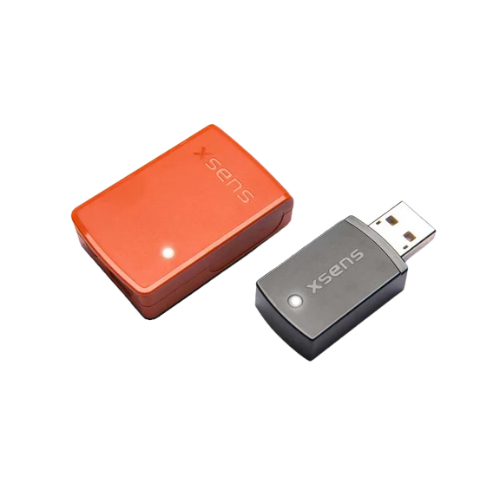 MTw Awinda is a wearable sensor solution for users who want a more modular setup for motion measurement and research. The standard MTw Awinda bundle can operate with as few as 6 sensors and up to 32, communicates to PC devices via radio protocol and features a custom software development kit. MTw Awinda provides processed sensor data for users who want to develop their own algorithms, biomechanical models, or analysis pipelines.
Choose MTw Awinda if you need:
- a research setup outside of the standard full-body mocap workflow
- support for real-time measurement and custom integration with PC devices
- single-sensor data for custom analysis
MTw Awinda is a strong option for biomechanics research when a standard full-body setup is not required. For example, if you only need to measure the raw data of one specific body segment, or if you are looking to calculate your own metrics using custom sensor placements and configurations.
Xsens DOT
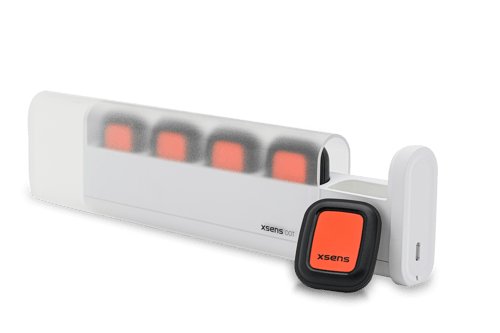 Xsens DOT is the right choice for users who want to build their own application around compact wearable motion sensors. It features 5 sensors packaged in a portable charging dock and communicates via Bluetooth to PC or mobile devices.
Choose Xsens DOT if you need:
- a compact wearable IMU platform
- SDK access for custom development on PC or mobile devices
- a sensor solution for your own movement application
Which Xsens setup is right for your application?
Biomechanical analysis
For biomechanical analysis, the right choice depends on the movement intensity and the research goal.
- Choose Xsens Link + Xsens Analyze for high-impact movement research.
- Choose Xsens Awinda + Xsens Analyze for general biomechanics research.
- Choose Xsens Awinda Starter + Xsens Analyze for educational purposes.
- Choose Xsens MTw Awinda/ Xsens DOT for kinematics research with fewer sensors and more freedom in biomechanical model construction.
Sports science and sports performance
Choose Xsens Link + Xsens Analyze. This is the best fit for sports applications that involve fast, explosive, or highly dynamic movement and require high-quality full-body motion capture.
Humanoid robotics
Choose Xsens Link + Xsens Humanoid:
- Choose Xsens Humanoid Live for teleoperation and live streaming to the robot, human-in-the-loop testing and imitation learning.
- Choose Xsens Humanoid Pro for motion dataset creation, simulation training, machine learning workflows, and multi-operator capture.
- Choose Xsens Ergo Live if you want a complete, ready-to-use setup for assessments and reporting.
- Choose Xsens Ergo Expert if you want deeper integration into your own workflow or software environment.
Occupational health and safety
If your goal is ergonomic assessment in the workplace, choose Xsens Awinda + one of the Xsens Ergo solutions.
Rehabilitation and injury prevention
Choose Xsens Awinda + Xsens Analyze. This setup is a strong fit for routine movement assessment in rehabilitation because it is flexible, easy to wear, and practical across different care and training environments.
Training and simulation
Choose Xsens Link + Xsens Analyze. This setup is the best fit for demanding motion capture in immersive and simulation-driven environments.
Want to discuss what setup works best for your application area? Contact us